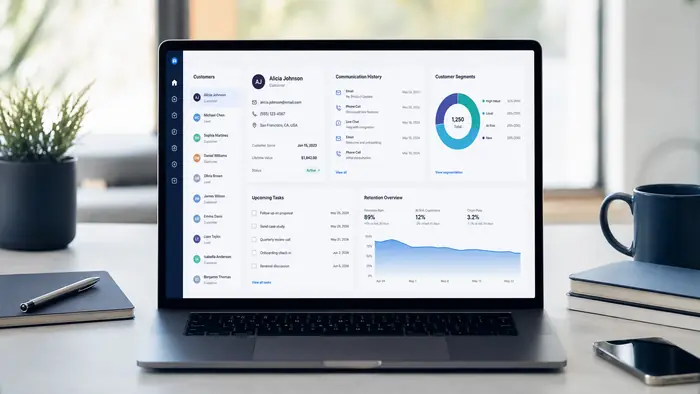
Customer management software gives a business one place to organize customer information, conversations, tasks, purchases and relationship history. It can support sales, service, onboarding, retention and account management, depending on the platform and configuration.
Many products in this category are CRM systems. Read our CRM software basics guide for the underlying concepts, then use this selection framework to compare the practical fit of different tools.
What Customer Management Software Does
The software creates a structured customer record. Employees can see who the customer is, what they asked for, who owns the relationship, what has happened and what should happen next. This continuity is especially valuable when several employees communicate with the same account.
Important Features
- Contact, company and household records
- Custom fields, notes, files and activity history
- Tasks, reminders and ownership
- Sales pipelines and opportunity tracking
- Email, calls, messaging and website chat
- Customer onboarding and service workflows
- Segmentation, consent and preference management
- Dashboards, exports and scheduled reports
- Integrations with accounting, ecommerce and support tools
Common Use Cases
Lead-to-customer management
Capture an enquiry, assign it, track qualification, schedule an appointment, manage a proposal and record the result.
Onboarding
Create tasks, collect required information, send welcome material and notify employees when a customer reaches each milestone.
Retention and account growth
Segment customers by activity, product, renewal date or value. For measurement ideas, see our customer lifetime value software guide.
Customer support context
Give employees access to relevant history so customers do not need to repeat information. A specialized help desk may still be preferable for advanced ticketing and service-level management.
CRM, Help Desk or Customer Success Platform?
Choose based on the primary job. A CRM usually leads with sales relationships and pipelines. A help desk leads with tickets and support operations. A customer-success platform leads with adoption, health scores and renewals. Some all-in-one systems cover parts of all three, but depth varies.
Selection Checklist
- Define the users and customer journey
- List the five workflows that must work
- Confirm integrations with existing systems
- Test import, duplicate management and exports
- Review roles, permissions and audit history
- Calculate users, contacts and usage charges
- Evaluate mobile access, support and training
- Use realistic data during the trial
Implementation Advice
Clean the source data before importing it. Create only the fields employees will use, document naming conventions and assign ownership for data quality. Launch in stages: contacts first, then pipeline, then automation and advanced reporting.
Measure adoption using meaningful actions such as completed tasks, updated opportunities and recorded outcomes. Login counts alone do not prove the system is helping customers or employees.
Frequently Asked Questions
What is customer management software?
It is software that stores customer records and helps teams coordinate interactions, tasks, sales, service and retention activity.
Is customer management software the same as CRM?
Often, but not always. CRM is the most common form; broader customer-management products may focus on support, success, subscriptions or account administration.
What is best for a small business?
A system that handles the business’s core contact, follow-up and reporting needs without unnecessary complexity or hidden usage costs.
How much customer data should be stored?
Only data that has a clear business and legal purpose. Apply appropriate consent, access, retention and security controls.
Related B2B Souq Guides
Explore an All-in-One CRM Platform
GoHighLevel combines CRM, automation, calendars, messaging, websites and reporting in one platform.
Affiliate disclosure: B2B Souq may earn a commission from qualifying registrations at no additional cost to you. Verify current features, pricing and offer terms on the provider’s website.