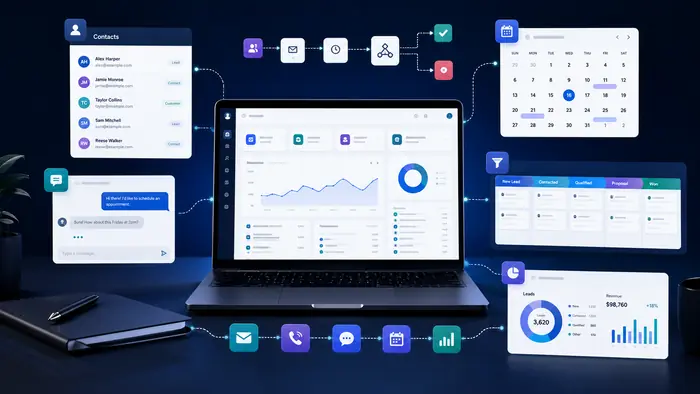
GoHighLevel automation connects CRM records, pipeline activity, calendars, forms, messages and internal tasks. Agencies and service businesses can use workflows to create repeatable customer journeys, but successful implementation requires clear data, careful testing and ongoing ownership.
For a broader platform overview, read our GoHighLevel CRM guide. Features, interfaces, pricing and usage charges may change, so verify current details inside the platform and on the provider’s official website.
How GoHighLevel Automation Works
A workflow begins with a trigger such as a form submission, appointment event, tag, pipeline change or contact update. Filters and branches decide which contacts continue. Actions can update records, create tasks, send messages, assign users, manage opportunities and connect external systems.
Useful Workflow Examples
Lead capture and assignment
Create or update the contact, add an opportunity, assign an owner, send confirmation and notify the correct team. Use filters to prevent duplicate opportunities.
Appointment journey
Send booking confirmation, timed reminders and rescheduling information. After the appointment, branch according to attendance and outcome.
Pipeline follow-up
When an opportunity reaches a stage, create the appropriate task and reminder. Stop the workflow when the contact replies, books or reaches a final result.
Customer onboarding
After a sale, remove sales follow-up, create onboarding tasks, send welcome information and notify delivery staff.
Reputation and reactivation
Request feedback at an appropriate moment or re-engage inactive contacts who remain eligible and consented. Avoid repetitive messages and provide opt-out handling.
Setup Principles
- Map the customer journey before opening the builder
- Use clear workflow and field names
- Keep triggers and exit conditions specific
- Test every branch with dedicated contacts
- Separate sales, appointment and onboarding logic when helpful
- Create alerts for delivery failures or stalled records
- Document ownership and change history
Automation and AI
Rule-based workflows are best for predictable actions. AI may help interpret or summarize less structured information. Review our digital workflow assistant guide and keep human review for sensitive or high-impact decisions.
Costs and Operational Requirements
The subscription is only part of total cost. Estimate email, messaging, phone, AI, external integrations, migration, training and ongoing administration. Monitor usage as volume grows.
Potential Limitations
- The broad feature set can feel complex initially
- Poor planning can create overlapping workflows
- Usage-based services can add cost
- Specialized industries may need dedicated systems
- Automation still requires testing and maintenance
- Results depend on data quality and team adoption
A Safe First Workflow
Start with a new consultation lead. Trigger when the form is submitted, confirm consent, create the opportunity, assign an owner, send one confirmation, create one task and notify the team. Add an exit when the lead replies or books. Test duplicates, invalid contact details, opt-outs and manual stage changes.
Frequently Asked Questions
What can GoHighLevel automate?
Depending on configuration, workflows can coordinate contacts, opportunities, tasks, messages, appointments, tags, fields, notifications and integrations.
Is GoHighLevel automation suitable for beginners?
It can be, but beginners should start with one short workflow, follow clear naming rules and test every branch before adding complexity.
Does GoHighLevel automation cost extra?
Some communication, phone, AI or connected services may involve usage charges. Verify current plan and usage pricing for your account.
Can GoHighLevel replace every business tool?
Not necessarily. It may consolidate several marketing and customer-management functions, while specialized operations may still require dedicated software.
Related B2B Souq Guides
Explore an All-in-One CRM Platform
Use the extended offer to build and test one complete GoHighLevel workflow before deciding whether the platform fits your business.
Affiliate disclosure: B2B Souq may earn a commission from qualifying registrations at no additional cost to you. Verify current features, pricing and offer terms on the provider’s website.